


Sharing code is still hard.
AI is allowing everyone to create all the code they want, all the time. So the firehose is activated, but it’s just pouring all that stuff inside your own house. For twenty years I’ve been struggling with this problem.
Websites already are shareable, but for most of them, you cannot both share them where the recipient can edit the core functionality directly, without depending on a central server that gates and controls and needs maintenance. That’s because the meaningful code is encapsulated in the HTML. But. What if a URL could contain the code, external to the webpage, yet consumed by it. Not a link to a program hosted somewhere. Not a reference to code stored in a database. But where every character of JavaScript is encoded right into the address bar.
That’s framejs.io. And it changes how you think about sharing code on the web.
The Problem
AI tools such as Claude Code allow you to create all sorts of useful apps, visualizations, interactive widgets. But you want to share it, or use it elsewhere, the options are grim:
Deploy to a hosting provider (overkill for 30 lines of JS)
Create a CodePen or JSFiddle (locked into their platform, requires an account)
Paste the code in a message and say “run this” (nobody will)
Screenshot it (defeats the purpose of interactivity)
What if sharing code was as simple as sharing a link?
How It Works
framejs.io encodes your JavaScript into the URL hash. When someone opens that URL, the code runs immediately in their browser. No server ever stores your code. No account is required. The URL is permanent and self-contained.
Here’s the full workflow:
Go to framejs.io
Write JavaScript in the editor (or let AI write it for you)
The URL updates in real time as you type
Copy the URL. Share it. Done.
That’s it. Anyone with the link can run your code, edit it, and share their version — all without touching a server.
Tell AI What You Want
framejs.io is designed for AI-first creation. Describe what you want in plain language, and Claude, ChatGPT, or any LLM builds it for you.
With Claude Code, install the /js slash command:
mkdir -p ~/.claude/commands
curl -sL https://framejs.io/command-js.md -o ~/.claude/commands/js.md
Then just describe what you want:
/js Create an interactive visualization of world population over timeClaude writes the JavaScript, encodes it, and opens the result directly in your browser. No files written to disk. No build step.

▶ View the live population visualization
You can also use any AI chat interface. The editor has a “Copy AI prompt” button that copies the full context an LLM needs. Paste into Claude or ChatGPT, describe your changes, paste the generated code back.
A Visualization Showcase
Here are some examples — all created with AI prompts, all running entirely from their URLs:

Every one of these is editable. Click the link, open the editor, change the code, and the URL updates to reflect your version.
Embed Anywhere
framejs.io widgets embed into any platform that supports iframes or URL embeds:
Notion — use the
/embedblockObsidian — paste an iframe in markdown
Confluence, Coda, Google Docs — use their embed widgets
Jupyter notebooks — via a Python widget package
Any website — a single iframe tag
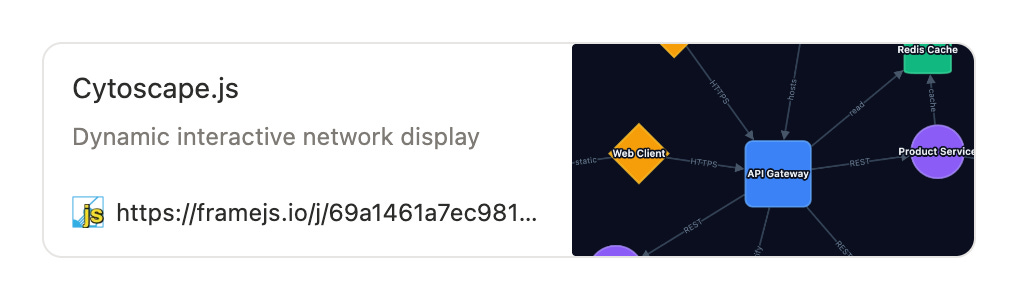
<iframe src="https://framejs.io/j/8e5d5eed..." width="100%" height="400"></iframe>Short URLs support Open Graph metadata, so when you paste a link into Slack, Discord, or social media, it renders with a title, description, and preview image:
Connect Widgets Together
framejs.io widgets aren’t just isolated snippets. They’re metaframes — modular components with defined inputs and outputs that can be wired together into workflows called metapages.

// Receive data from upstream widgets
export function onInputs(inputs) {
  const data = inputs["sensorData"];
  // process and visualize
}

// Send data to downstream widgets
setOutput("result", { temperature: 72, unit: "F" });
One widget’s output becomes another’s input. Build data pipelines, interactive dashboards, and multi-step workflows by connecting metaframes visually in a metapage.
Works in Jupyter and marimo
For data scientists and researchers, framejs.io has a Python widget package that works in Jupyter, JupyterLab, VS Code notebooks, Google Colab, and marimo:
from metaframe_widget import MetaframeWidget

# Render an existing visualization
w = MetaframeWidget(url="https://framejs.io/j/...")

# Or create one inline
w = MetaframeWidget.from_code("""
export const onInputs = (inputs) => {
  root.textContent = JSON.stringify(inputs);
  setOutput("echo", inputs);
};
""")

# Push data from Python into the widget
w.set_inputs({"data": [1, 2, 3]})

# Read outputs back into Python
print(w.outputs)
You can even pipe widgets together: source.pipe_to(sink, output_key="result", input_key="data"). Python data flows into JavaScript visualizations and back — all in a notebook cell.
What You Can Build
People are using framejs.io for:
Data visualizations — charts, graphs, maps, 3D plots
Interactive dashboards — sliders, controls, live-updating displays
Scientific visualizations — molecular networks, simulation outputs, research figures
Embeddable widgets — calculators, converters, mini-apps inside docs
Prototypes — quick interactive demos you can share with a link
Educational tools — live code examples students can modify and experiment with
Short URLs for Clean Sharing
Full URLs with base64-encoded JavaScript can get long. framejs.io provides content-addressed short URLs:
https://framejs.io/j/8e5d5eed5c3fda9c5094b186169feadecde2bf007fcd58b7fa0df52e3e3c34beThese are SHA-256 hashes of your code. Same code always produces the same URL. They never expire, and they’re immutable — a short URL always resolves to exactly the code that created it.
There’s also a programmatic API for shortening, so you can build tooling on top of it:
POST https://framejs.io/api/shorten
Body: the hash parameters string
Response: { "hash": "8e5d5eed..." }
Open Source
framejs.io is open source on GitHub. The frontend is React + Vite + TypeScript, the backend is Deno on Deno Deploy. Contributions and issues are welcome.
Try It Now
The fastest way to start:
Type some JavaScript
Watch it run
Share the URL
Or, if you have Claude Code installed:
mkdir -p ~/.claude/commands
curl -sL https://framejs.io/command-js.md -o ~/.claude/commands/js.md
Then:
/js make a bouncing ball animationThe URL is the program. No servers. No accounts. No deployment. Just share a link.